Plan your trip
Paying in China: foreign cards, cash, SIMs and the apps
Two things decide how easy daily life in China feels: whether your foreign card works in the payment apps, and whether your phone has data. The apps take an evening to set up at home; the SIM takes your passport and a visit to an operator’s counter.
In this guide
Find the location ↗ — opens in a new tabThe short answer
Before you fly, install Alipay and Weixin Pay (WeChat Pay), link your foreign card and add your passport details in each app; keep a second card and some renminbi as back-up. Payments of CNY 200 or less are generally fee-free; larger ones may carry a 3% fee on the whole amount. A data SIM needs your passport; budget about CNY 150 a person for 15 days. Amap and DiDi work in English.
- Key point
- Set up at home, finish on arrival
- Where it applies
- Your phone and your wallet
- Timing
- The apps work all year; buy the SIM on arrival.
Set up Alipay and Weixin Pay in three steps
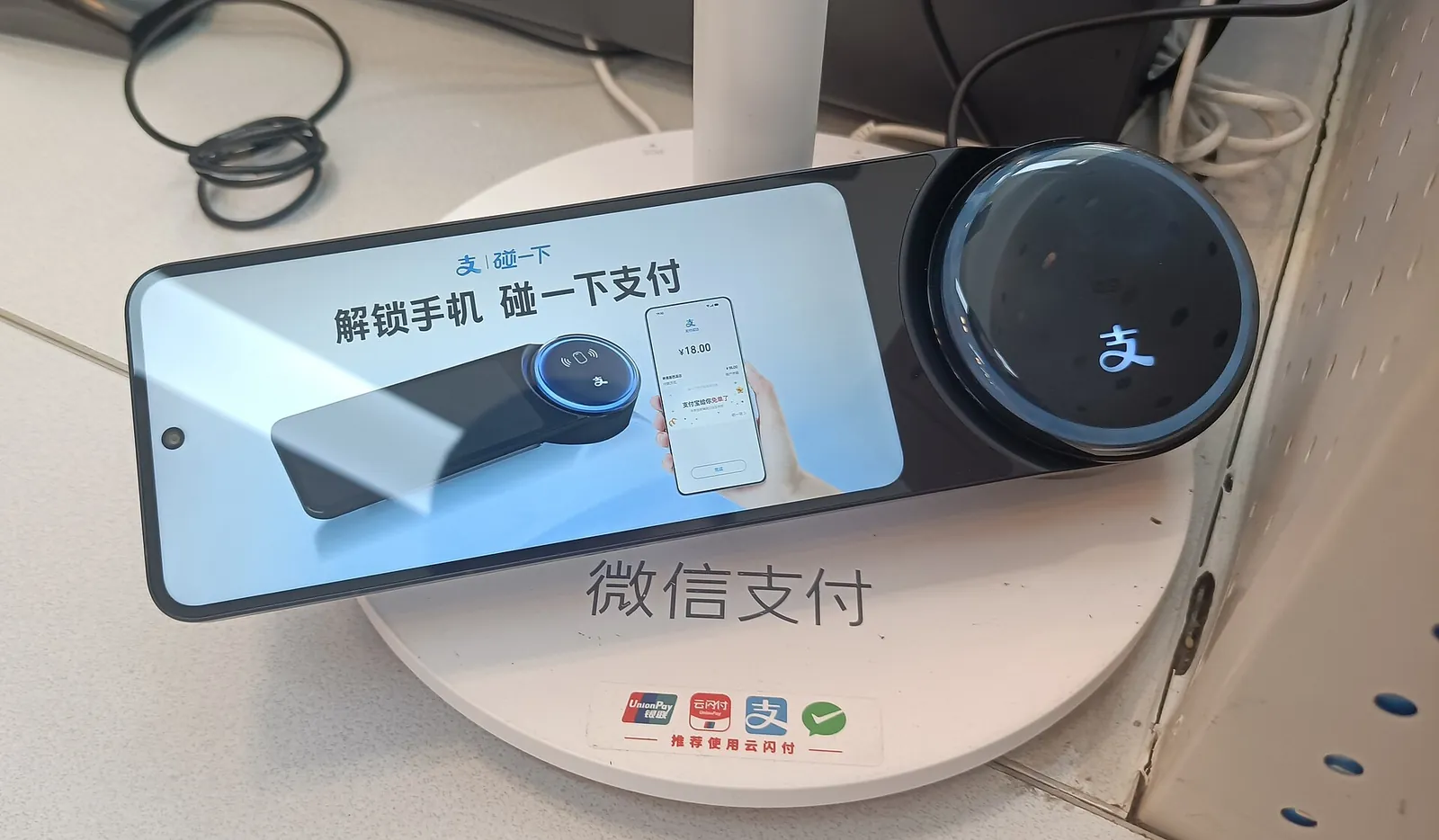
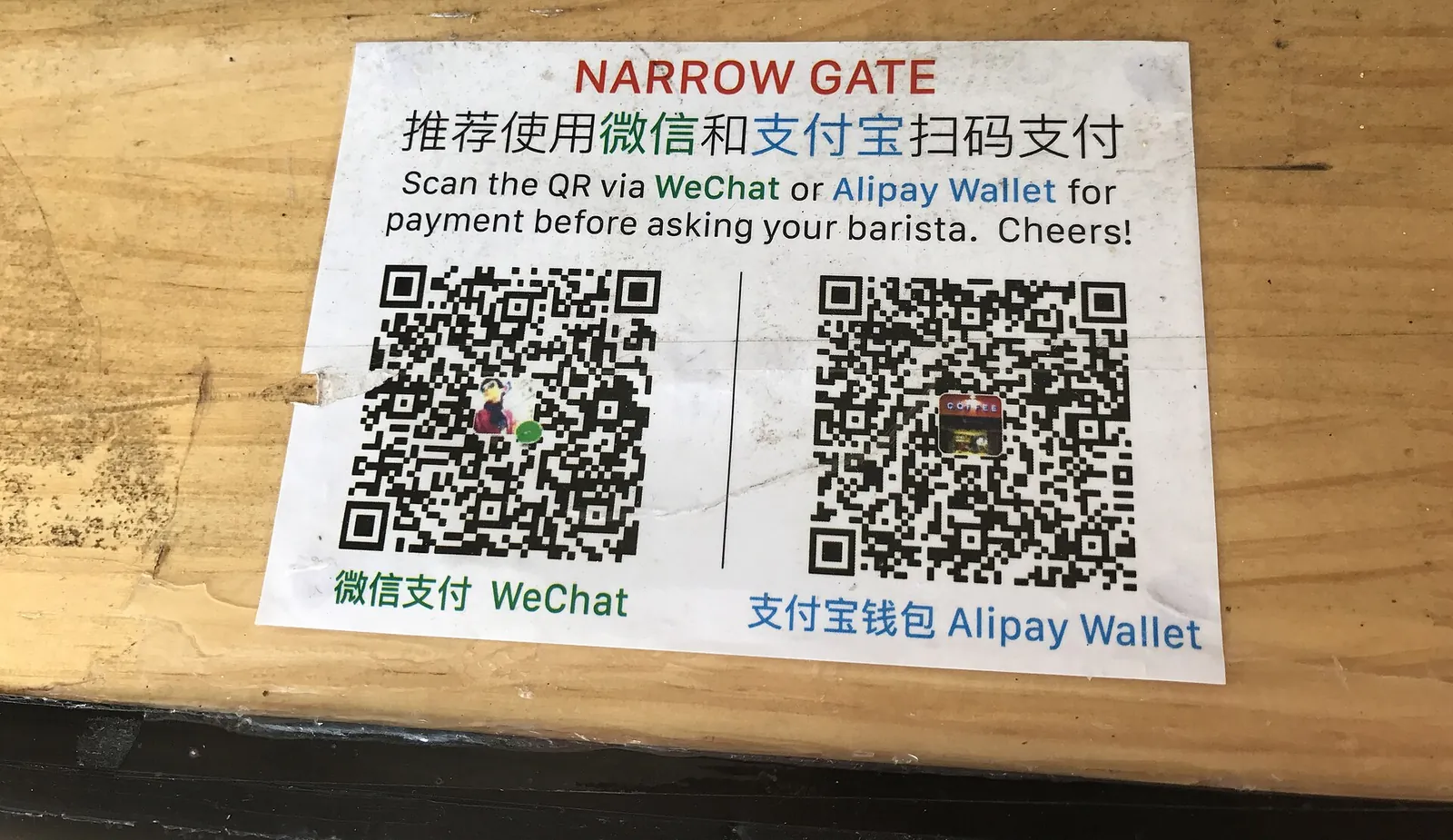
Two apps, Alipay and Weixin Pay (the payment side of WeChat), are the usual way to pay in Chinese cities, and both now let you link a foreign card. At the till you either scan the merchant’s QR code with the app or show your own payment code for the cashier to scan.
At home, before you fly, install Alipay and WeChat and register each with your own phone number; neither needs a mainland bank account or a Chinese number. In Alipay, link a Visa, Mastercard, JCB, Discover or Diners Club International card and submit your passport details, which it asks for before your first card payment. In WeChat, link a Visa, Mastercard, JCB, American Express, Discover (including Diners Club) or UnionPay card, then complete Weixin Pay’s passport check, which can take only seconds and raises your limits. Until you do, a linked card pays for purchases only: you cannot top up a balance or send money.
On arrival, make your first payment a small one of CNY 200 or less, such as a metro ride or a convenience-store till. Your bank can still decline it, and a small payment tells you before a large bill does. In Beijing, open Alipay’s Transport section, choose your city and complete the identity check to get a metro QR code, or tap an overseas Visa or Mastercard at the gates. In Shanghai, the metro QR code works in Alipay or WeChat, and the gates take contactless UnionPay, Visa, Mastercard, American Express and JCB cards.
If a card fails, try your second card, then the one-stop service centres in the international arrival halls at Pudong and Hongqiao Terminal 1, which help visitors set up payment apps.
Fees, limits and the Weixin Pay offer
Payments of CNY 200 or less (about EUR 27, GBP 22 or USD 30 at the 23 October 2026 central rate) are generally fee-free. A payment above CNY 200 may carry a 3% fee on the whole amount, not only on the part above CNY 200, so a CNY 300 payment could cost CNY 9 in fees. The payment screen shows any fee before you confirm. At hotels and for other large bills, pay at the desk by card or prepay when you book, rather than through an app payment that may carry the 3% fee.
Weixin Pay announced in May 2026 that first-time users who link an international card pay no 3% fee for 90 consecutive days from their first transaction, up to CNY 1,000 a day.
Once you have passed the passport check, Weixin Pay allows payments of up to USD 5,000 a time and USD 50,000 a year, subject to your bank, and Shanghai’s government gives the same upper limits for Alipay.
Cash, bank cards, ATMs and changing money
Carry some renminbi. Since 1 February 2026 shops must generally accept cash, though online-only and some unattended services still need an app.
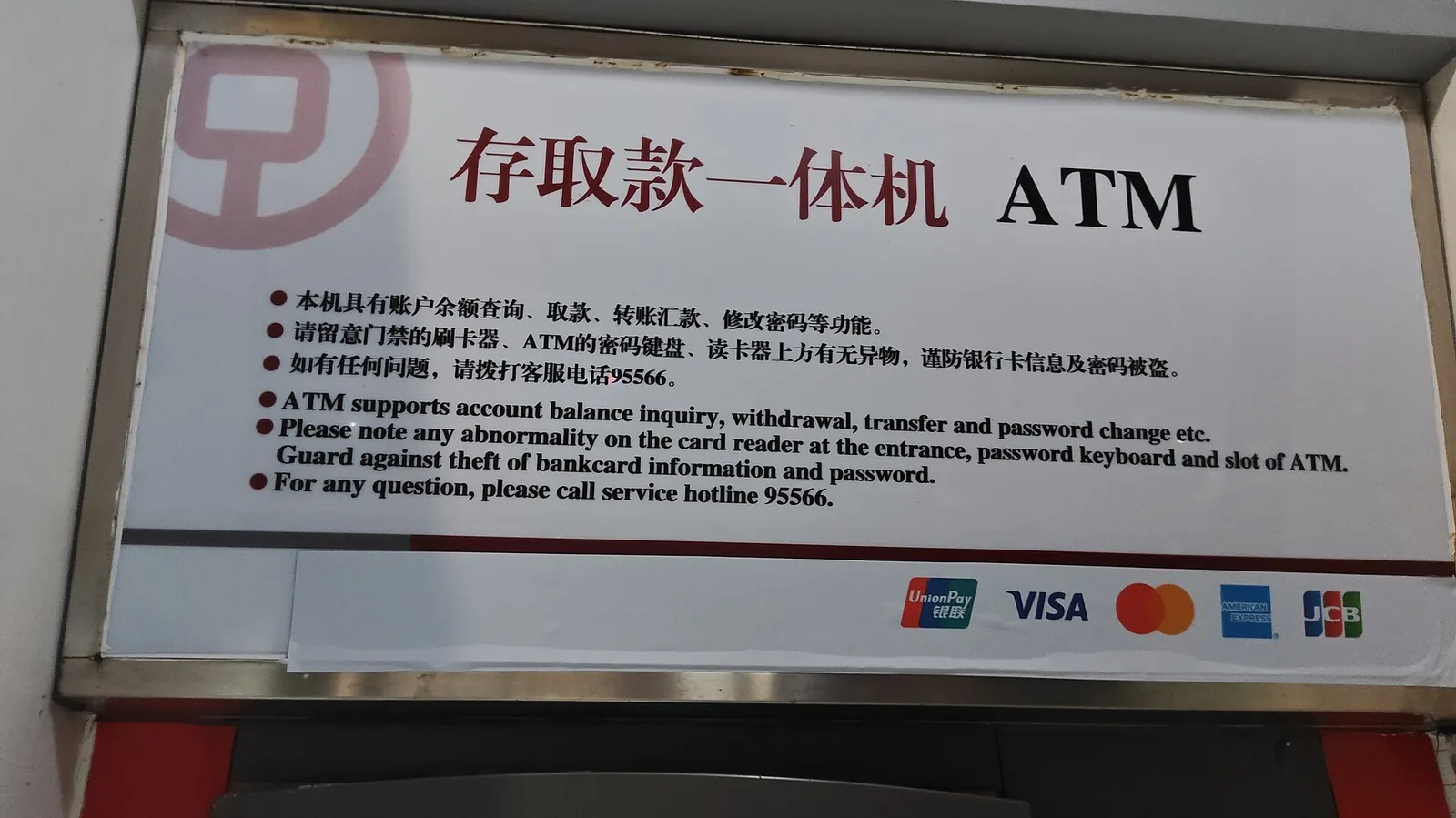
The Shanghai government gives these figures for its city: terminals showing the UnionPay, Visa, Mastercard, American Express, JCB, Diners Club or Discover logo may take a card issued outside the mainland, as do some taxis, and ATMs with the matching logo generally allow up to CNY 3,000 a withdrawal with an overseas card; some set less, and your own bank may set a daily or monthly limit. In Beijing, the government’s guide for foreign visitors says metro ticket offices and machines take RMB cash and Chinese or foreign bank cards, buses take cash (carry small change), and railway station ticket offices take cash, bank cards or payment apps.
To change foreign notes, use a bank branch with a green “EXCHANGE” sign, such as Bank of China or China Construction Bank, or the bank counters and exchange points at Shanghai’s international airports; rates differ between them.
A local SIM or an eSIM
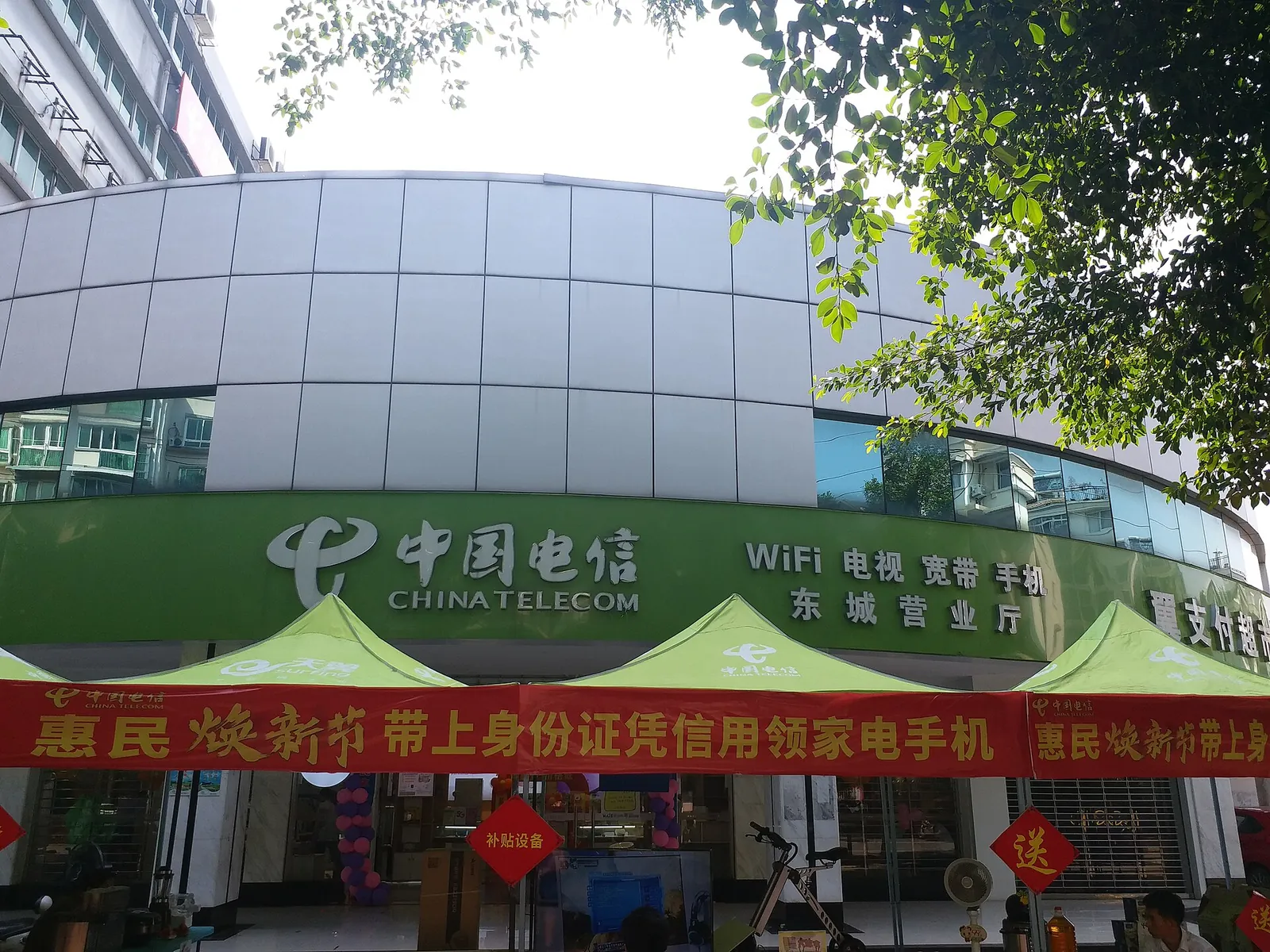
A mainland SIM is not needed for train tickets: 12306 accepts a verified email address as the contact for foreign passengers, so you can book online before you fly, as our China transport guide explains. A mainland SIM is registered to your identity: the operator checks your passport and records its details, and China Mobile accepts foreign passports for registration. Buy it at a service hall run by China Mobile, China Unicom or China Telecom; there are no processing fees, so you pay only for the plan. Beijing’s halls typically open from 08:30 to 20:00.
At Beijing Capital and Beijing Daxing, the “Beijing Service” counters are the airport desks that sell SIMs against a passport, and they also hand over cards ordered online: China Mobile’s for collection at Capital, China Unicom’s at Daxing. In Shanghai, the one-stop service centres at Pudong and Hongqiao Terminal 1 help with mobile connections but are not listed as selling SIMs, so plan on an operator’s hall in town.
Budget about CNY 150 a person (CNY 300 for two) for a 15-day data SIM, based on China Telecom’s published 15-day foreign-visitor card at CNY 125 (30 GB and 200 minutes), sold to new accounts opened with a foreign passport in its own halls until 30 November 2026.
A mainland carrier’s eSIM is rarely the easy route. An iPhone bought outside mainland China cannot install a mainland carrier’s eSIM, and on phones that can, activation needs a visit to the carrier’s store with a passport or other ID.
Without a local SIM, you can use your home carrier’s roaming or a travel eSIM bought before departure. Such data is usually carried through a network outside the mainland, so the apps you use at home tend to keep working; your carrier lists its price for China. Neither gives you a mainland number, but 12306 train tickets do not need one.
Maps, rides and translation
Amap navigation works in English and other languages, including French, Spanish, Japanese, Russian and Korean; in China the app is called Gaode Map. Switch it to your language, save your hotel, and it suggests taxi or public-transport routes there from where you are.
DiDi works in English with a foreign number and card, with the same drivers and pricing as the Chinese app. Messages to your driver are translated, and English customer service runs round the clock. You can also book a ride in Alipay (Transport, then Taxi) or in WeChat (Me, Services, then Mobility).
WeChat translates messages inside a chat, and can translate the Chinese text in a photo that someone sends you. Pleco is a Chinese dictionary that works online and offline, and Apple’s pre-installed Translate app can download language packs for offline use.
Before you go: blocked apps, offline maps and your passport
German government advice is to refrain from using VPN services, and it lists Google, Facebook, X and WhatsApp among the online services that are blocked in China. Plan on limited access to some overseas apps: download offline maps and language packs, and keep tickets, bookings and your hotel’s name and address in Chinese characters saved on the phone.
Carry your original passport at all times; British advice says police make random checks and do not accept printed copies, and you will need it for a SIM anyway. Our entry guide covers the other safety rules. Check your own government’s current travel advice before you book.
Practical questions
Can I pay in China with only my Visa or Mastercard?
Sometimes. Terminals showing a card network’s logo may accept a foreign card, and some taxis have them, but where no logo is shown you need an app or cash. Linking it to Alipay or Weixin Pay as well covers most other tills.
Do I need a Chinese bank account or phone number to use Alipay or Weixin Pay?
No. Alipay’s international service lets you link a foreign card without a mainland bank account or phone number, and Weixin Pay registers with your international phone number. Weixin Pay asks for a passport check to raise your limits.
Will my own bank charge extra for these payments?
It may. The apps’ fees are shown on the payment screen, but your card issuer can add its own foreign-exchange charge, which appears on your statement.
Can I buy a SIM at the airport?
In Beijing, yes: the “Beijing Service” counters at Capital and Daxing airports sell SIMs against a passport. In Shanghai, the airport service centres help with mobile connections but are not listed as selling SIMs.
Does Google Maps work in China?
No. Google services are blocked in China; use Amap, which works in English and can route you to a hotel you have saved.
Is cash still accepted?
Yes. Shops must generally take cash, and you can change foreign notes at bank branches showing a green “EXCHANGE” sign or at the bank counters in Shanghai’s international airports.
Keep planning your trip

Entering China
Who can enter China visa-free for 30 days, when the waiver ends, how 240-hour transit works, and the arrival card, hotel registration, customs and safety rules.
Read the guide
Getting around China
Book China's high-speed trains on 12306 with a foreign passport, decide when to fly, and get from the airports and stations into town.
Read the guide
First trip to China
How long a first China trip should be, then a week in Beijing, Xi’an and Shanghai: what to book first, the trains, entry, paying and the cost per day.
Read the guide
China trip cost
What 10 days in Beijing, Xi’an, Chengdu and Shanghai cost for two sharing a room: about CNY 7,360, 10,140 or 15,950 a person, with every meal, train and ticket.
Read the guide
Best time to visit China
When to go to China by region and month: spring and autumn for Beijing, Xi’an and Shanghai, rain and typhoon seasons, and the expected 2027 holiday peaks.
Read the guideSources and checks before you travel
(25)
- Ant International: Alipay and international cards ↗ — opens in a new tab
- Alipay International Card User Agreement ↗ — opens in a new tab
- Tencent: Weixin Pay for visitors to China ↗ — opens in a new tab
- Tencent: payment services for visitors, higher limits ↗ — opens in a new tab
- Tencent: inbound payment initiatives, 27 May 2026 ↗ — opens in a new tab
- Tencent: cross-border payments ↗ — opens in a new tab
- Tenpay: International Card User Addendum ↗ — opens in a new tab
- Shanghai government: pay with overseas bank cards ↗ — opens in a new tab
- Shanghai government: exchanging foreign currency ↗ — opens in a new tab
- Shanghai government: mobile payments ↗ — opens in a new tab
- State Council Gazette: cash acceptance rules ↗ — opens in a new tab
- MTR High Speed: Ticketing via 12306 ↗ — opens in a new tab
- Beijing government: purchasing SIM cards ↗ — opens in a new tab
- China Mobile: real-name registration ↗ — opens in a new tab
- China Telecom: foreign-visitor card tariff ↗ — opens in a new tab
- Apple Support: eSIM in China mainland ↗ — opens in a new tab
- Shanghai government: Amap multilingual services ↗ — opens in a new tab
- DiDi: English app ↗ — opens in a new tab
- Beijing government: transport guide for foreign visitors ↗ — opens in a new tab
- Shanghai government: Travel your way, metro ↗ — opens in a new tab
- Shanghai government: translation tools ↗ — opens in a new tab
- Shanghai government: Pudong airport transport ↗ — opens in a new tab
- State Administration of Foreign Exchange: central parity ↗ — opens in a new tab
- UK government: China safety and security ↗ — opens in a new tab
- German Federal Foreign Office: China safety ↗ — opens in a new tab
Reference sources for the version dated 29 October 2026. Confirm opening times, access, transport and conditions for your travel dates.
Photo credits
(4)
A tap-to-pay terminal at a convenience-store counter in Xiamen, with Alipay’s reader and Weixin Pay’s name on the base.
Photograph: HualinXMN — opens in a new tab · CC BY-SA 4.0 — opens in a new tab
Changes: Resized and converted to WebP; displayed with responsive crops. · Original photograph and licence details ↗ — opens in a new tab
A café’s pay-by-scan card: one QR code for Weixin Pay, one for Alipay.
Photograph: Harald Groven — opens in a new tab · CC BY-SA 2.0 — opens in a new tab
Changes: Resized and converted to WebP; displayed with responsive crops. · Original photograph and licence details ↗ — opens in a new tab
A Bank of China ATM in Dongguan; the card logos on the sign show which cards it reads.
Photograph: メイド理世 — opens in a new tab · CC BY-SA 4.0 — opens in a new tab
Changes: Resized and converted to WebP; displayed with responsive crops. · Original photograph and licence details ↗ — opens in a new tab
China Telecom’s Dongcheng service hall in Guilin, the kind of operator hall that sells SIM cards.
Photograph: 神樂坂秀吉 — opens in a new tab · CC0 — opens in a new tab
Changes: Resized and converted to WebP; displayed with responsive crops. · Original photograph and licence details ↗ — opens in a new tab