Plan your trip · South Korea
South Korea SIM, eSIM and apps: Naver Map, KakaoMap and taxi apps
In South Korea your phone does more of the work than in most countries. You will use it to find the right subway exit, to check when the next bus actually arrives, to call a taxi to a street you cannot pronounce and, on Jeju's cashless buses, even to pay the fare. Two decisions shape all of that: how you get mobile data, and which map app you rely on. Google Maps is not the answer to the second one here, so settle both before you land.

- Suggested time
- Set up before departure; about half an hour at the airport if you collect a USIM or Wi-Fi egg
- Where to stay
- Seoul Station or Myeongdong after landing at Incheon; Seomyeon if you arrive at Gimhae for Busan
- Season and timing
- All year: connectivity is not seasonal. Order a pickup USIM or Wi-Fi egg a few days ahead so it is waiting at the airport counter when you land.
The short answer
Buy an eSIM online before you fly if your phone is unlocked and eSIM-compatible, and scan its QR code at home so data works the moment you land. If your phone takes only a physical card, order a USIM for pickup at the roaming centre in the arrivals area at Incheon, Gimpo, Gimhae or Jeju airport, or buy one at a CU, GS25, 7-Eleven or Emart24 convenience store. A Wi-Fi egg (pocket router) from the same airport counters suits a family or group sharing one connection. Then install Naver Map (or KakaoMap) for directions, k.ride or Uber for taxis, and save the 1330 Korea Travel Helpline. For most first trips, the first night is in central Seoul, near Seoul Station or in Myeongdong.
eSIM, USIM, Wi-Fi egg or roaming: choosing your connection
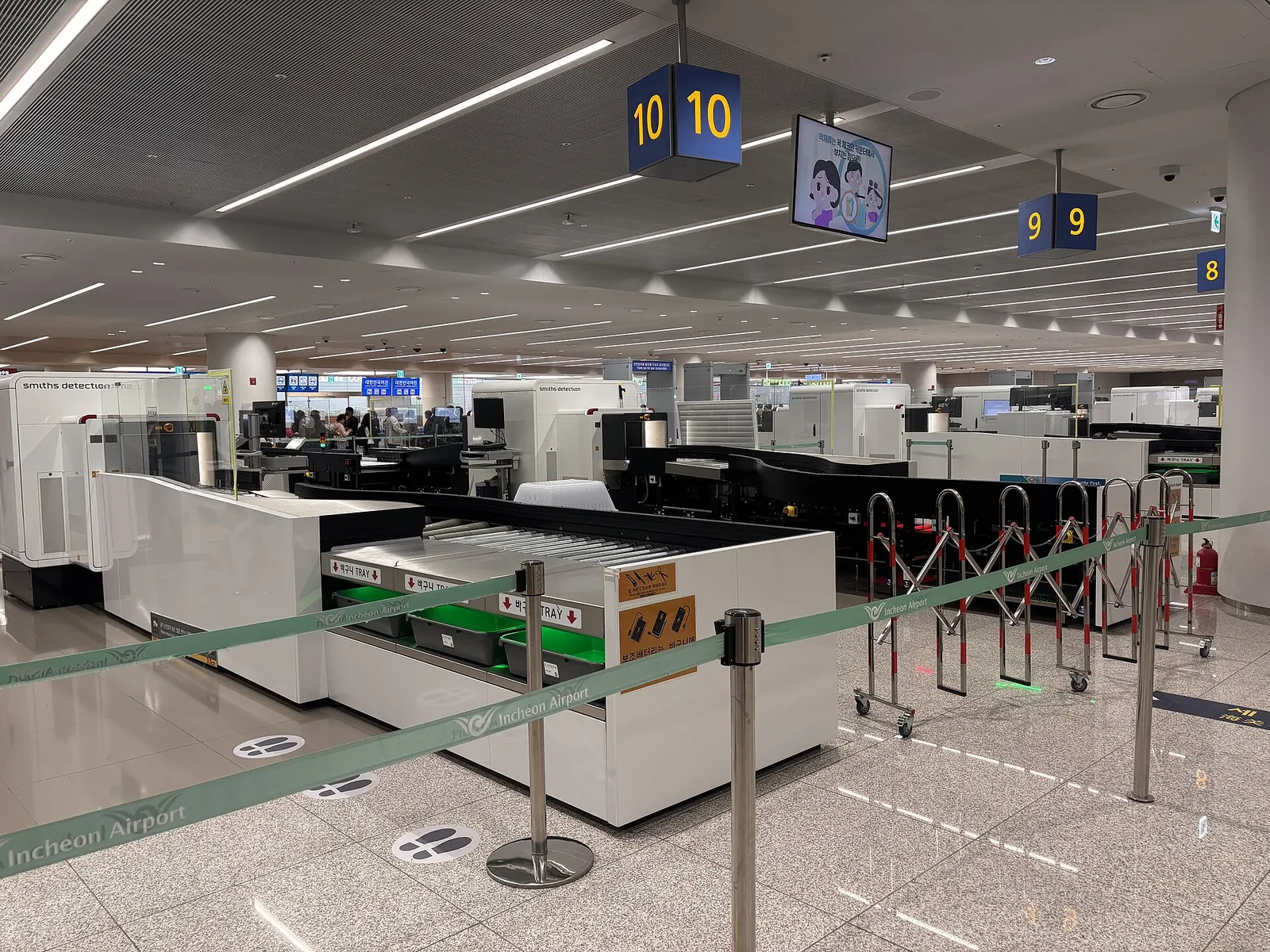
VisitKorea, the Korea Tourism Organization's site, describes four ways to get online: roaming with your home plan, a Korean physical USIM, a Korean eSIM, or a rented Wi-Fi egg, the pocket router that several devices can share. The roaming centres run by Korea's three network operators, KT, SK Telecom and LG U+, at Incheon, Gimpo, Gimhae and Jeju international airports handle all of them: they register phones for roaming, sell SIM cards, rent Wi-Fi eggs and even rent smartphones. Each operator lists its fees and counter locations on its own roaming site (roaming.kt.com, sktroaming.com and lguplus.com).
An eSIM is the least work if your phone supports it: you buy it online, scan the QR code you receive and the phone is ready, with nothing to collect. VisitKorea's advice is to confirm your phone is eSIM-compatible before you pay. Install it at home on a stable connection, and leave your home SIM in place for calls and banking messages if your phone allows two lines.
A physical USIM is the answer for phones without eSIM. VisitKorea lists three ways to get one: at the operators' roaming centres in the major international airports, at selected convenience stores and retailers, or online in advance with pickup at the airport. The big chains CU, GS25, 7-Eleven and Emart24 sell USIM cards, but stock varies by branch, so the official advice is to check the chain's website or app first. Either kind of SIM only works in an unlocked phone.
A Wi-Fi egg suits a family or a group who stay together, or a phone that cannot take a foreign SIM. The drawbacks are practical: one battery to keep charged for everyone, and a device you must return. VisitKorea notes that SIM plans can include unlimited data and, if you want one, a local mobile number, which a Wi-Fi egg cannot give you.
- Phone supports eSIM: buy an eSIM before departure and install it at home.
- Phone takes only a physical card: reserve a USIM online for airport pickup, or buy one at an airport roaming centre or a convenience store.
- Several people, one connection: rent a Wi-Fi egg at the airport and plan a mid-day recharge.
- Very short stay or a work phone you cannot change: check your home operator's roaming package, or register for roaming at the airport centres.
Why Naver Map and KakaoMap matter more than Google here
VisitKorea is blunt about it: the navigation (GPS) feature of Google Maps cannot be used in Korea, and in its Jeju bus guide it describes Google Maps as not adequately serviced in the country. Its recommended alternatives are Naver Map, available in Korean, English, Chinese and Japanese, and KakaoMap, available in Korean and English. Install at least one before you fly and open it once on Wi-Fi so it is set up when you land.
Naver Map is the one VisitKorea singles out for travellers. Its tourism guide highlights route directions with estimated travel times by mode, bus stop information, bus routes and real-time bus arrival estimates, plus restaurant pages with menus, photos and reviews. Naver's own app listing adds transit alerts telling you when to get on and off, a booking tab that includes train tickets, and English-language maps and navigation.
KakaoMap, from Kakao Corp., is the other main choice. Its app listing describes routes for car, public transport, walking and bicycle, built-in turn-by-turn navigation, real-time bus information and a subway map. It is worth keeping both: if a shop or a small guesthouse cannot be found by its English name in one app, try the other, or paste the address in Korean script.
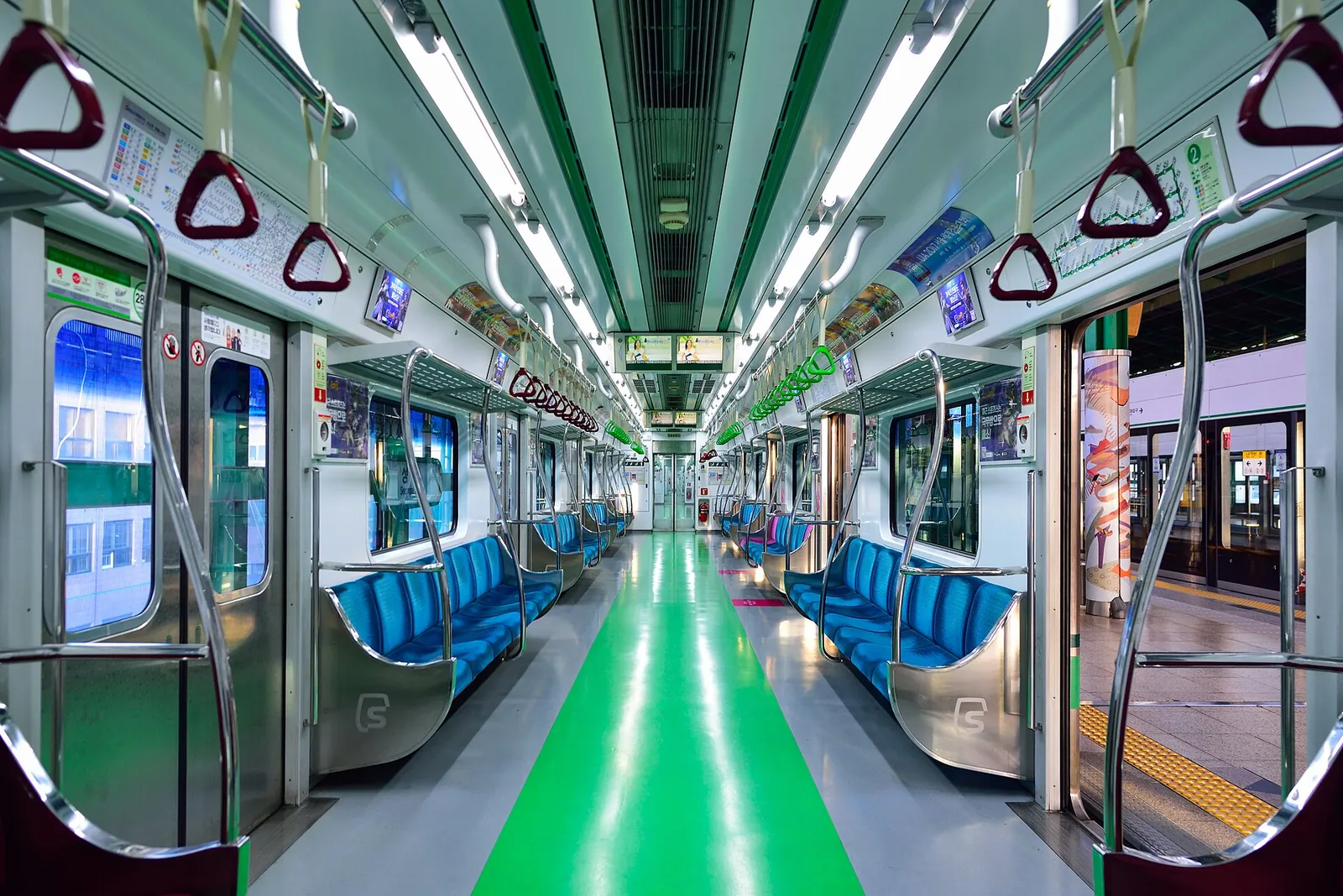
Two habits save the most time. Save your hotel, in Korean as well as English, as a favourite in the map app on the first evening, and read the exit number your route gives for each subway station: large stations have many exits, and leaving by the right one can save you a long walk above ground.
Make time for the local food
What to eat and where to look
Gimbap
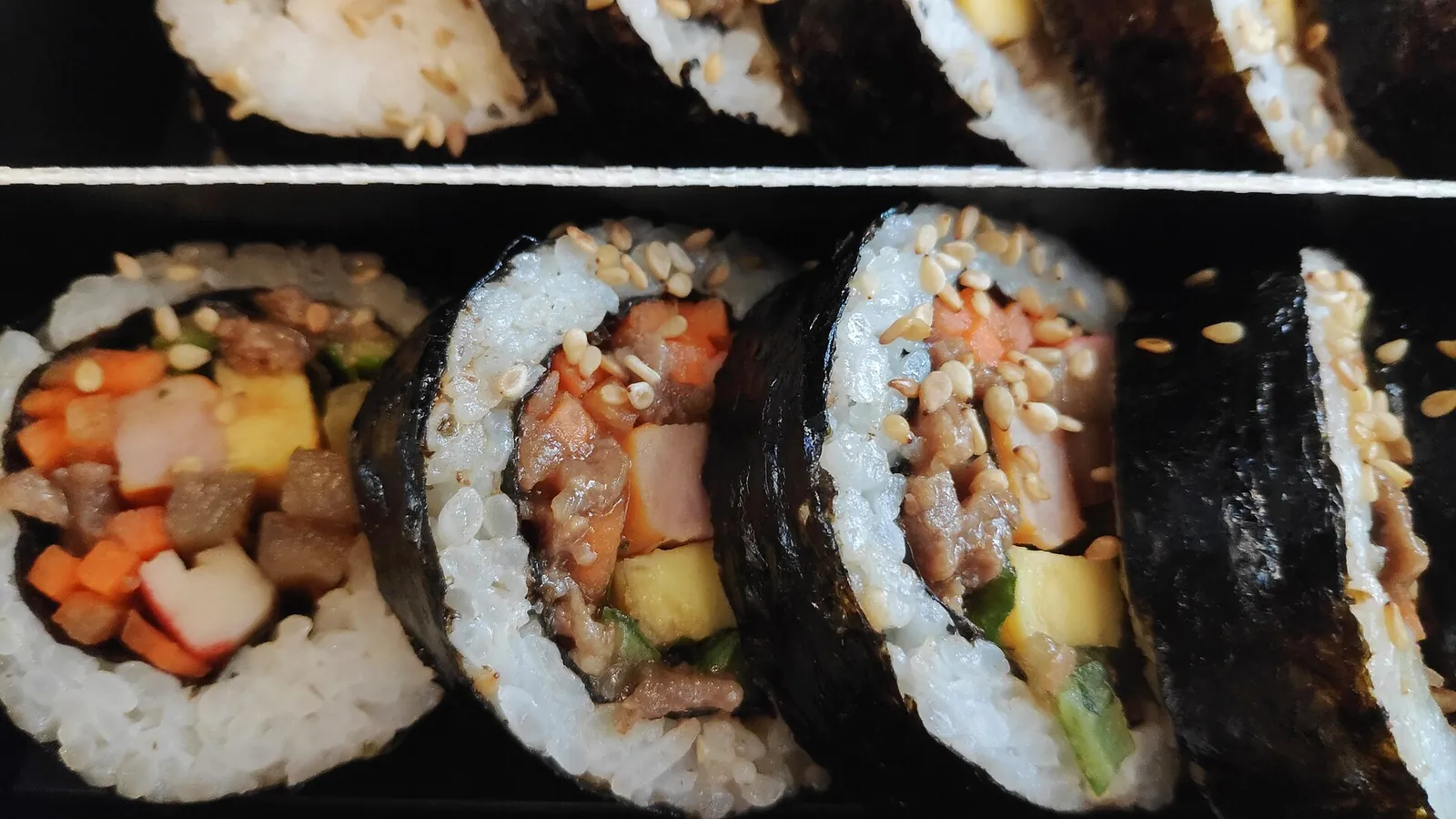
Rice and vegetables, often with egg, ham, tuna or beef, rolled in seaweed and sliced: the easiest meal to eat between trains, and one you can find and filter by area in Naver Map or KakaoMap.
- Where to look
- Gimbap shops near subway and train stations, market stalls, and the chilled shelf of any convenience store.
- Fit it into your day
- A quick lunch on a travel day, or something to take on a KTX train or an airport transfer.
Fillings often include ham, fish cake, egg or tuna with mayonnaise; ask or look at the cut end if you avoid meat or seafood.
Samgak gimbap (triangle rice balls)
Triangular rice parcels wrapped in seaweed with a filling such as tuna mayonnaise or spicy pork, sold in every convenience store and opened by pulling the numbered tabs on the wrapper.
- Where to look
- CU, GS25, 7-Eleven and Emart24 stores, including the airport branches where you may also pick up a USIM.
- Fit it into your day
- A first snack after landing, or breakfast before an early train.
Labels are mostly in Korean; Papago's photo translation helps if you need to check for pork, seafood or allergens.
Ramyeon at a convenience store
Instant noodle cups and bowls cooked with the hot-water dispensers inside the store and eaten at the counter or tables by the window, a very Korean late-night meal.
- Where to look
- Convenience stores with seating near your hotel or a station; they are easy to spot on any map app.
- Fit it into your day
- A late supper after a long arrival day, when restaurants near your hotel have closed.
Many varieties are very spicy and most broths contain beef or seafood flavouring.
Tteokbokki
Chewy rice cakes simmered in a sweet and spicy red sauce, often with fish cake and boiled egg, sold from street stalls and small snack restaurants.
- Where to look
- Market food alleys and snack restaurants; Naver Map's restaurant pages show menus and photos before you go.
- Fit it into your day
- An afternoon snack while you wander a market or a shopping street.
Usually spicy; the sauce and the fish cake often contain fish products.
Taxis, transit cards and paying by phone
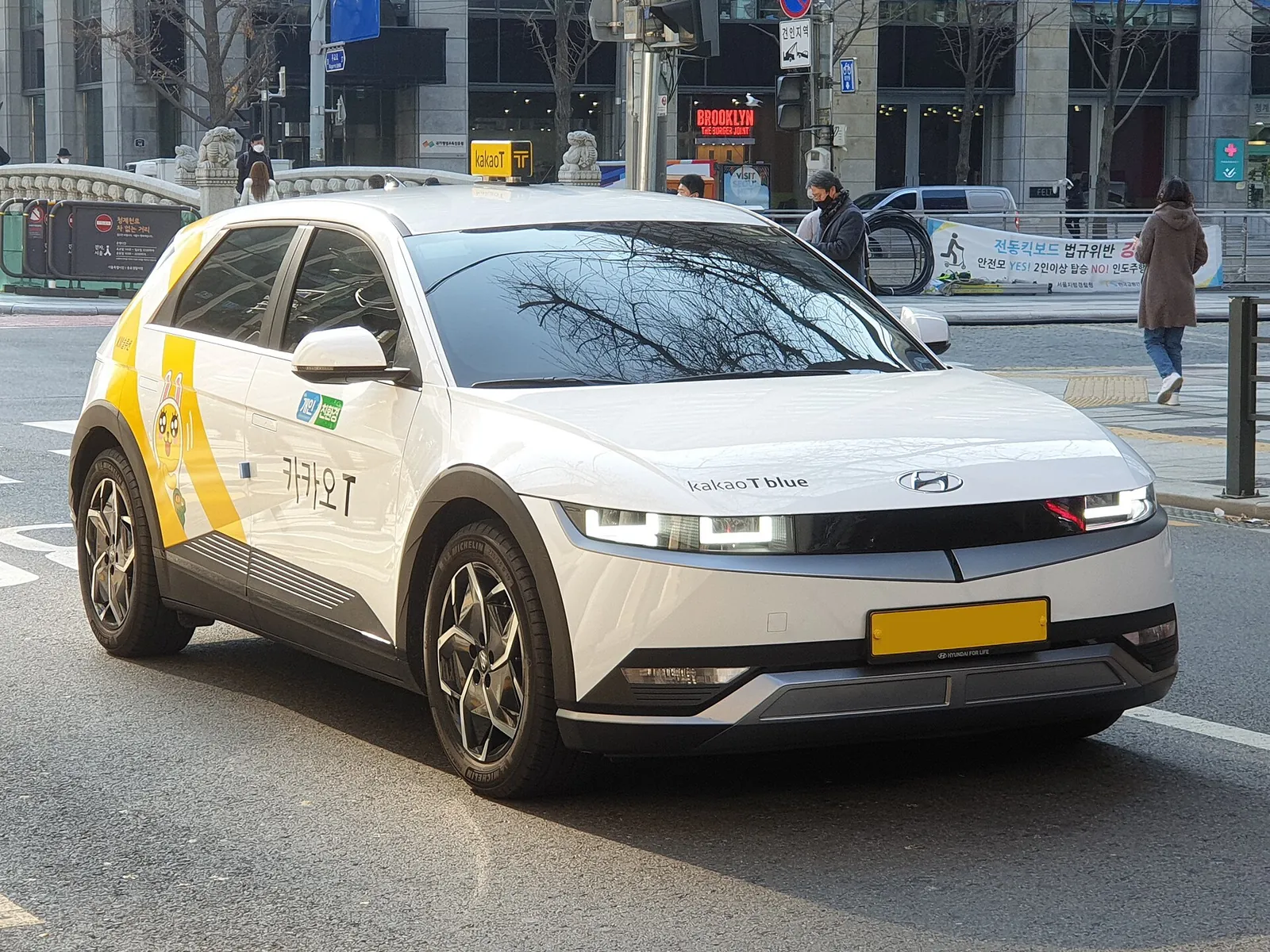
For taxis, VisitKorea points non-residents to k.ride, a foreigner-only version of Kakao T operated by Kakao Mobility. It runs in English, Chinese and Japanese, lets you log in with a Google or Apple account and accepts overseas credit cards. Uber Taxi also operates in Korea: if you already use Uber, you can call a taxi with the same app and payment details, and the app translates your messages to the driver automatically. VisitKorea adds that booking through an app is usually the most convenient way to call a taxi because you see a fare estimate first, though a small call fee can apply.
The local Kakao T app itself covers taxis anywhere in Korea, bikes and scooters, and bookings for KTX trains, buses and flights, according to Kakao Mobility's app listing. Seoul's International Taxi service, with English, Japanese or Chinese-speaking drivers, has its own booking app as well, and can be reserved for airport pickups.
Your phone also helps with transit cards. VisitKorea notes that an EZL card can be registered on the EZL app for smartphone tap payment, and that WOWPASS, a prepaid card for foreigners that also handles currency exchange and card payments, should be registered on the WOWPASS app so you can see your balance, payment history and rewards. On Jeju, VisitKorea's bus guide says city buses stopped accepting cash on 1 October 2024; besides cards, you can pay by scanning the QR code near the driver with a ZeroPay-linked payment app, and the guide names Alipay, TrueMoney and Touch 'n Go among the affiliated services. That guide was last updated in January 2025, so check before you rely on it.
Free Wi-Fi, charging and calls
Free public Wi-Fi is widespread. VisitKorea lists airports, subway stations, train stations and some bus stops, and its tourist overview adds coffee shops, malls and public facilities. For locations it points to the public Wi-Fi site wififree.kr. PC rooms, mostly open 24 hours, are another fallback. Public Wi-Fi is a useful back-up, but it does not follow you between stations, which is why a data plan is still worth having for navigation.
Plan for charging. The standard in Korea is 220 volts at 60 hertz with two round pins, so bring a multi-voltage adapter, or borrow or buy one at your hotel front desk, the airport, retail stores or convenience stores, as VisitKorea suggests. A power bank matters more than usual if you depend on your phone for maps and taxis all day, and on a Wi-Fi egg for the group.
For calls, Korea's country code is 82: callers from abroad dial 82, then the area code without its first 0, then the number (Seoul is 02). From Korea, an international call starts with a carrier prefix such as 001, 002, 005 or 008, then the country code and number. Payphones are now rare but survive in busy places, and prepaid phone cards are sold in convenience stores and supermarkets.
Help numbers and apps to save before you fly
The 1330 Korea Travel Helpline is the number to remember. The Korea Tourism Organization runs it as a telephone and live chat service for travel information, interpretation and complaints: from abroad it is +82-2-1330, in Korea simply 1330. Over Wi-Fi you can use its free online voice call, or chat through the 1330 Messenger in a browser, KakaoTalk, Facebook or Line. VisitKorea lists English, Japanese, Chinese, Russian, Vietnamese, Thai and other languages.
For emergencies, VisitKorea gives 112 for the police and 119 for fire and medical emergencies, and 1339 for infectious disease emergencies. Write these down outside your phone, along with your hotel's address in Korean, in case your battery runs out.
Naver's own travel page also points visitors to Papago, Naver's translation app, which can translate signs and menus from a photo. The Korea Tourism Organization's VISITKOREA app adds attraction, festival and event information and a trip planner. Together with a map app and a taxi app, that is the whole kit; you do not need a long list.
- Maps: Naver Map and, as back-up, KakaoMap.
- Taxis: k.ride or Uber; Kakao T if you can use the Korean version.
- Help: the 1330 Korea Travel Helpline (+82-2-1330) and its chat channels.
- Transit and payment: the app for your transit card (EZL or WOWPASS), and a ZeroPay-linked wallet if you plan to ride Jeju's buses.
- Language: Papago for signs and menus.
Practical questions
Does Google Maps work in South Korea?
Not well enough to rely on. VisitKorea says the navigation (GPS) feature of Google Maps cannot be used in Korea, and recommends Naver Map (Korean, English, Chinese and Japanese) or KakaoMap (Korean and English) instead. Install one before you fly.
Should I get an eSIM or a physical SIM for Korea?
An eSIM if your phone is unlocked and supports it: you buy it online and scan a QR code, with nothing to collect. Otherwise, buy a physical USIM at an airport roaming centre or a convenience store such as CU, GS25, 7-Eleven or Emart24, or order one online for airport pickup.
Where can I buy a SIM card at Incheon Airport?
At the roaming centres run by KT, SK Telecom and LG U+. VisitKorea says these centres at Incheon, Gimpo, Gimhae and Jeju airports sell prepaid USIM cards, hand over cards ordered in advance, rent Wi-Fi eggs and register phones for roaming. Each operator lists its counter locations and fees on its roaming website.
Can foreigners use Kakao T to call a taxi?
VisitKorea recommends k.ride, the foreigner-only version of Kakao T from Kakao Mobility: it works in English, Chinese and Japanese, accepts Google or Apple login and overseas credit cards. Uber Taxi is another option if you already use Uber.
Is there free Wi-Fi in South Korea?
Yes, in many public places. VisitKorea lists airports, subway and train stations and some bus stops, as well as coffee shops and malls, and points to the public Wi-Fi portal wififree.kr. It is a good back-up, but a data plan is still the reliable way to navigate on the move.
What number do I call for help as a tourist in Korea?
The 1330 Korea Travel Helpline: 1330 in Korea or +82-2-1330 from abroad, with free online calls over Wi-Fi and chat through KakaoTalk, Facebook, Line or a browser. In an emergency, call 112 for the police or 119 for fire and ambulance.
Sources and checks before you travel
Reference sources for the version dated 3 October 2026. Confirm opening times, access, transport and conditions for your travel dates.
- Korea Tourism Organization (VisitKorea): Electricity & Communications ↗ — opens in a new tab
- Korea Tourism Organization (VisitKorea): Driving in Korea ↗ — opens in a new tab
- Korea Tourism Organization (VisitKorea): Jeju's East Coast Itinerary by City Bus ↗ — opens in a new tab
- Korea Tourism Organization (VisitKorea): Taxi ↗ — opens in a new tab
- Korea Tourism Organization (VisitKorea): Transportation Cards ↗ — opens in a new tab
- Korea Tourism Organization (VisitKorea): Airport Transportation Guide ↗ — opens in a new tab
- Korea Tourism Organization (VisitKorea): 1330 Travel Helpline & Complaint Center ↗ — opens in a new tab
- Korea Tourism Organization (VisitKorea): Emergency Situations ↗ — opens in a new tab
- Korea Tourism Organization (VisitKorea): Tourist-Friendly Korea ↗ — opens in a new tab
- Korea Tourism Organization (VisitKorea): VISITKOREA mobile app ↗ — opens in a new tab
- NAVER Corp.: NAVER Maps on the App Store ↗ — opens in a new tab
- NAVER: NAVER Maps for visitors to Korea ↗ — opens in a new tab
- Kakao Corp.: KakaoMap on the App Store ↗ — opens in a new tab
- Kakao Mobility: Kakao T on the App Store ↗ — opens in a new tab
Does this experience fit your route?
Got your data plan and map app sorted? Compare guided walks and food tours in Seoul and Busan, and check each meeting point before you book.
Browse relevant experiences on Viator ↗ — opens in a new tabAffiliate link · Book with ViatorPhoto credits
The Seoul sign in Myeongdong, a central district full of convenience stores and an easy first base for setting up your phone
Photograph: Dwxn — opens in a new tab · CC BY-SA 4.0 — opens in a new tab
Changes: Resized and converted to WebP; displayed with responsive crops. · Original photograph and licence details ↗ — opens in a new tab
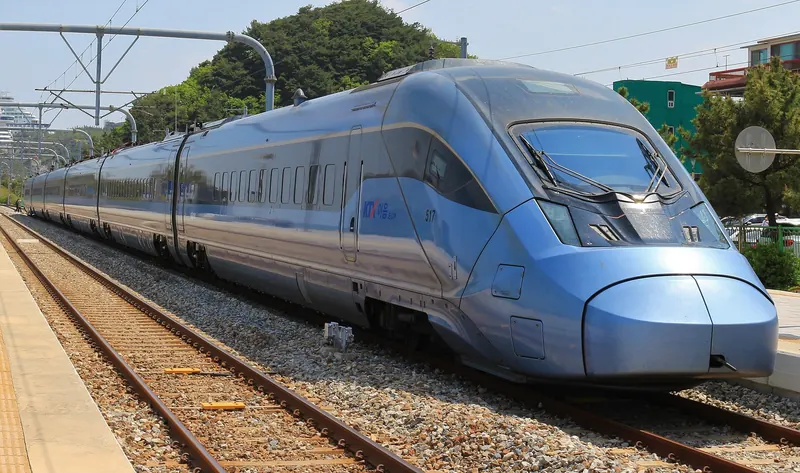
A Seoul Metro train: map apps such as Naver Map give live transit directions and exit numbers
Photograph: Cfktj1596 — opens in a new tab · CC BY-SA 4.0 — opens in a new tab
Changes: Resized and converted to WebP; displayed with responsive crops. · Original photograph and licence details ↗ — opens in a new tab
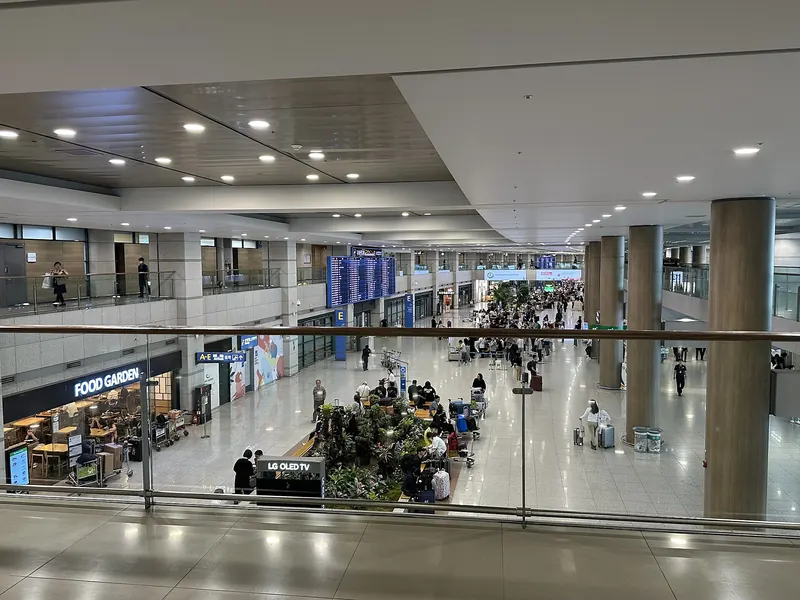
Incheon International Airport, where operator roaming centres sell USIMs and rent Wi-Fi eggs
Photograph: Choikwangmo25 — opens in a new tab · CC0 — opens in a new tab
Changes: Resized and converted to WebP; displayed with responsive crops. · Original photograph and licence details ↗ — opens in a new tab
A Kakao T-branded taxi; visitors can book the same network through k.ride, Kakao Mobility's app for foreigners
Photograph: Damian B Oh — opens in a new tab · CC BY-SA 4.0 — opens in a new tab
Changes: Resized and converted to WebP; displayed with responsive crops. · Original photograph and licence details ↗ — opens in a new tab
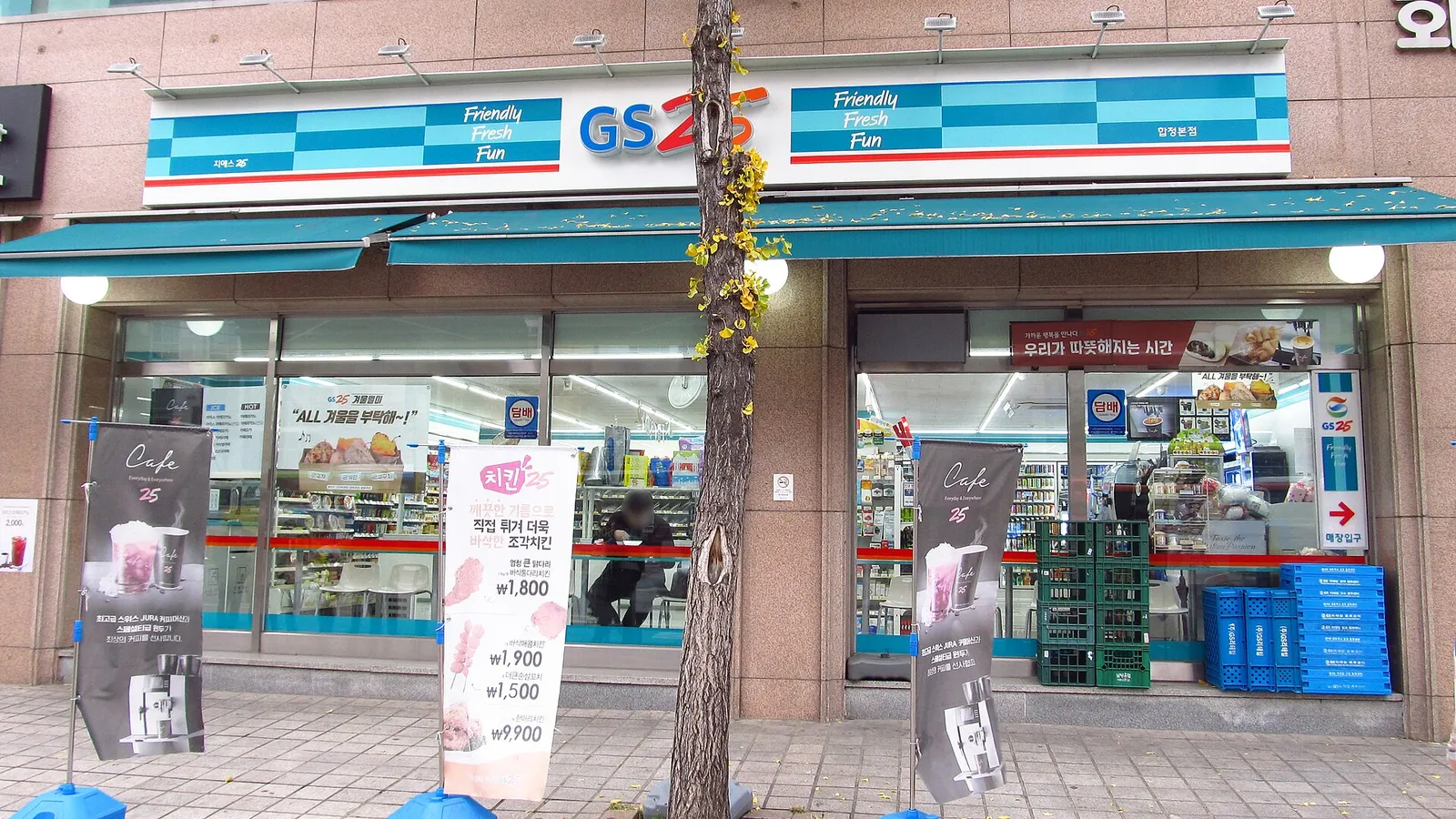
A GS25 convenience store in Hapjeong, Seoul; the big chains sell physical USIM cards, though stock varies by branch
Photograph: LERK — opens in a new tab · CC BY-SA 4.0 — opens in a new tab
Changes: Resized and converted to WebP; displayed with responsive crops. · Original photograph and licence details ↗ — opens in a new tab
Gimbap on a KTX express train, an easy meal on a travel day
Photograph: Melsj — opens in a new tab · CC BY-SA 4.0 — opens in a new tab
Changes: Resized and converted to WebP; displayed with responsive crops. · Original photograph and licence details ↗ — opens in a new tab